
When PageSpeed Insights warnings appear, the natural reaction is to fix them immediately.
But not every warning actually affects real-world performance.
On the surface, that sounds logical.
Updated 27th April 2026
But Are PageSpeed Insights Warnings Important?
Many site owners assume that any warning in PageSpeed Insights means their website is broken. In reality, warnings only indicate potential improvements suggested by Lighthouse. They do not always represent real performance problems.
A tool highlights an issue, so the natural reaction is to chase it until the report is clean.
But after auditing dozens of WordPress sites with PageSpeed Insights, we have learned something that surprises people.
Not every warning actually matters.
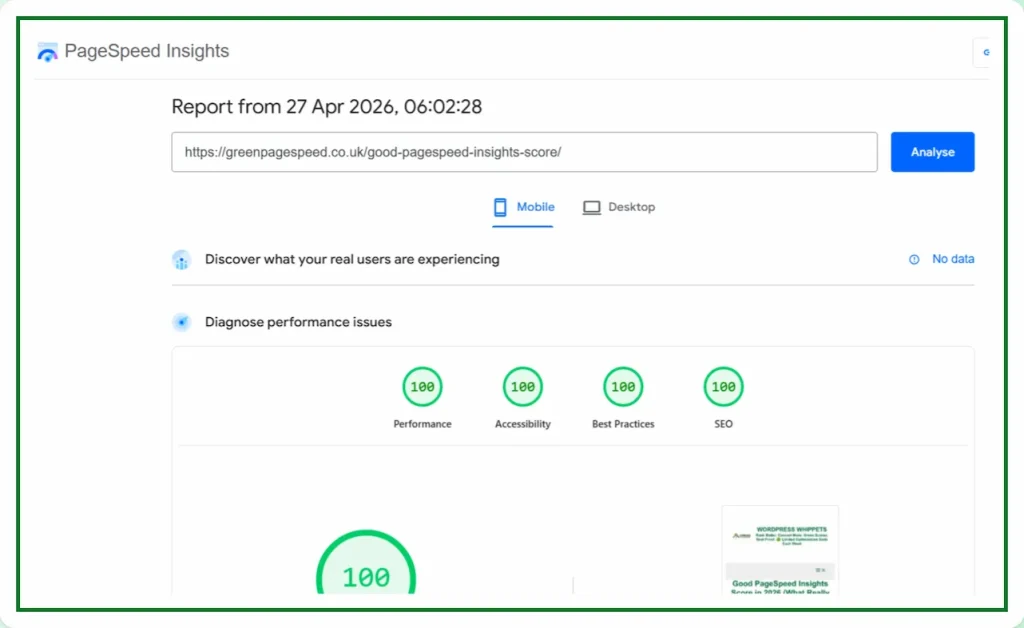
What PageSpeed Insights warnings actually mean
Tools are brilliant at measuring patterns, but they cannot understand context.
They see a script and assume it might be render blocking.
>They see a layout shift risk and assume the user will notice it.
>They detect a resource chain and assume it slows down the page.
But those flags are based on possibility, not always reality.
Sometimes the impact is measurable.
Sometimes it is microscopic.
And sometimes it is effectively zero.
This is where people fall into the trap.
They open a report, see a red or orange warning affecting their Core Web Vitals and start chasing it.
Then they tweak the code.
They install another plugin.
They move scripts.
Then they delay resources.
They experiment with new optimisation tricks.
Then something unexpected happens.
Performance gets worse.
Or stability breaks.
Or the site starts behaving strangely.
Run a Google PageSpeed Test for Your Website (Free Tool Below)
Speed Check Your Website On Google. It’s simple, fast, and FREE
⚠️MOST WEBSITES SCORE UNDER 50
HOW ABOUT YOURS?
✅ Independently verified by Google PageSpeed
Try a FREE website speed check below
🔗 TEST YOUR SITE SPEED NOW
**PSI is a testing tool, not an endorsement.**
All because they tried to eliminate a warning that never had any meaningful effect in the first place.
Performance optimisation is not about turning every report green.
It is about understanding which problems actually affect users.
That distinction matters more than people realise.
Tools are incredibly helpful, but they are still automated systems.
They apply the same logic to every website.
A simple landing page.
A heavy ecommerce store.
A blog with ads.
A membership platform.
All were evaluated through the same ruleset.
But websites are not identical machines.
Some scripts must load.
Resources cannot be deferred.
Some stylesheets are essential.
In most cases, PageSpeed Insights warnings alone do not harm rankings. Google’s ranking signals focus on real user experience metrics such as Core Web Vitals rather than every diagnostic suggestion inside Lighthouse.
One Job P/Day =FULL FOCUS
We only take on one website per day, because rushing speed work doesn’t cut it.
Your site gets our full focus, and every detail is tuned for performance.
This hands-on approach consistently changes your PSI scores to green. It boosts Google rankings.
You will attract more traffic, more visibility, and ultimately, more business.
However, the good news is that once you know how to use Google PageSpeed Insights properly,
You’ll uncover exactly what’s dragging your site down and how to fix it for good.
You pay upfront, and we do the work fast.
There are no hidden costs.
✅ Mobile-first
✅ Core Web Vitals fixed
✅ Google Green scores achieved
✅ Before & after proof
✅ 100% UK-based, WordPress-only service
✔️ GREEN SCORES
PageSpeed Warnings Can Get Very Confusing Indeed
Trying to remove everything a tool complains about can quickly lead you into a rabbit hole.
We fix one flag.
Another appears.
We solve that one.
Two more show up.
Hours pass.
And then days.
And suddenly, the focus has shifted away from the real goal.
User experience.
Real visitors do not care if a diagnostic panel shows a warning.
They care about whether the page loads quickly.
They care about whether it feels smooth.
Yes, the user cares whether they can interact with the page immediately.
A site can deliver a fast, stable experience even if a tool still shows a few warnings.
That is the part many people forget.
Performance is not a game of chasing perfection inside a report.
It is a discipline of understanding what actually moves the needle.
This is why experienced optimisation work looks very different from tool-driven optimisation.
Instead of trying to eliminate every flag, the focus shifts to the fundamentals.
Server response time.
Efficient asset loading.
Script discipline.
Image optimisation.
Do PageSpeed Insights warnings affect SEO
Architectural decisions that keep things lightweight from the start.
Once those foundations are right, most performance problems disappear naturally.
The remaining warnings often fall into a category we sometimes call diagnostic noise.
They appear in the report.
But they have little or no real impact.
The danger is not the warning itself.
The danger is the time spent chasing it.
Because that time could be spent improving something that actually affects users.
Tools are powerful guides.
But they are still just guides.
Knowing when to act and when to ignore a warning is part of the craft.
And ironically, that judgment is something no automated tool can measure.