
“Interaction to next paint” is often shortened to INP. It is one of Google’s Core Web Vitals.
Updated 1st March 2026
You can find it within PageSpeed Insights, linked below. It measures how quickly your website responds after a user interacts with it.
For WordPress sites, this metric is especially important.
Run a Google PageSpeed Test for Your Website (Free Tool Below)
⚠️MOST WEBSITES SCORE UNDER 50
HOW ABOUT YOURS?
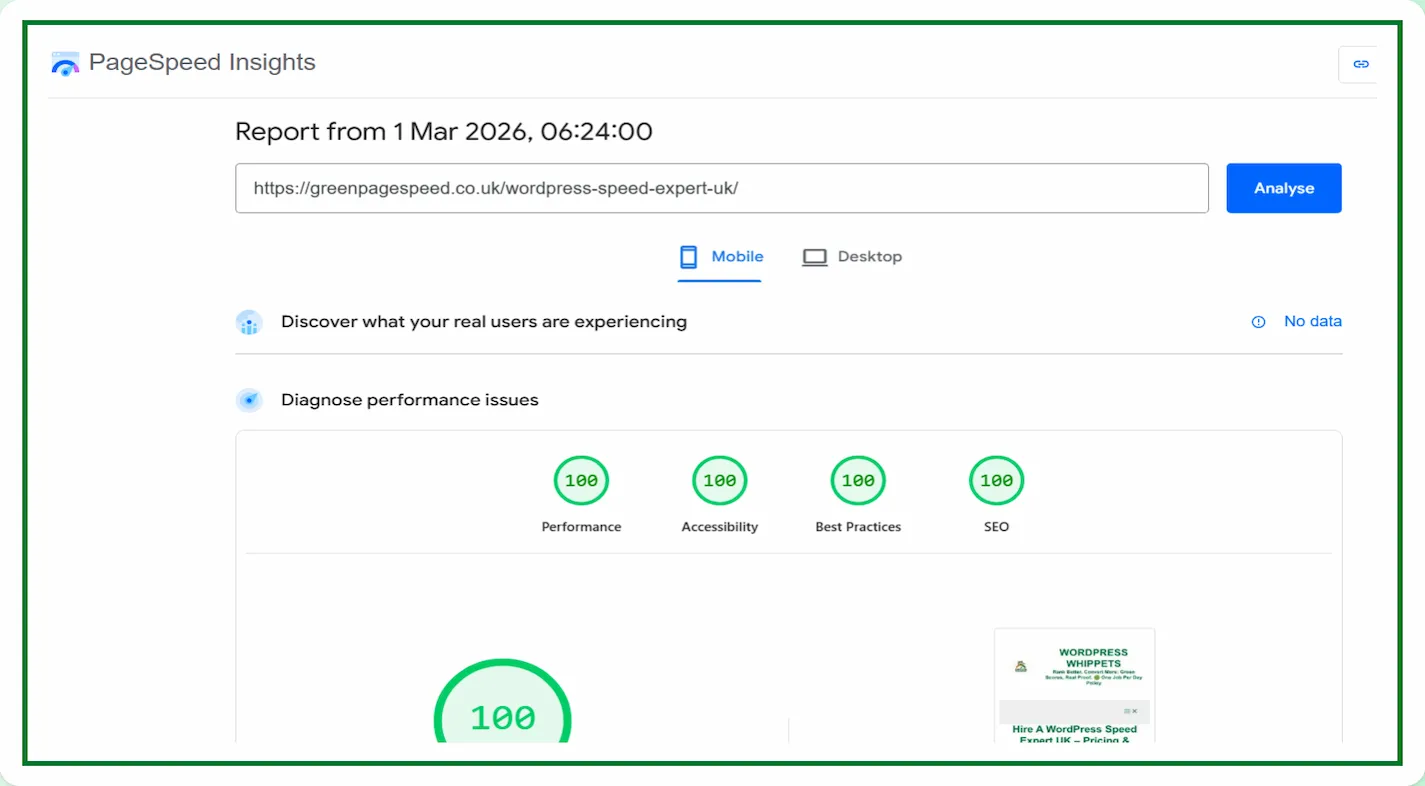
✅ Independently verified by Google PageSpeed
Try a FREE website speed check below
🔗 TEST YOUR SITE SPEED NOW
Check your CWV (Core Web Vitals)
**PSI is a testing tool, not an endorsement.**
When someone clicks a button, opens a menu, submits a form, or taps on a mobile device, Google measures how long it takes for the page to update visually. That delay is what Interaction to Next Paint captures.
If your site feels slow after a click, this is usually the reason.
What Are Core Web Vitals
Core Web Vitals are three key performance metrics that affect how people experience your website.
They are LCP, CLS, and INP, and each one measures a different aspect of loading, stability, and interaction.
There’s also TTFB, which indirectly affects all of them.
A fast website is not just about speed tests. It is about real visitors enjoying a smooth experience.
Google tracks these signals to decide whether your site deserves to appear higher in search results.
A slow, unstable, or unresponsive site can cost you rankings, traffic, and sales.
TTFB – Time To First Byte
TTFB measures how long it takes for your browser to receive the first data from a web server.
It is like waiting for a waiter to acknowledge your order before the food even starts cooking.
A long wait means your server or hosting setup is slow to respond.
Common causes include poor hosting, missing caching layers, or the absence of a CDN.
At Green Page Speed, we reduce TTFB by improving server response.
Adding edge caching and optimising DNS and SSL handshakes.
We regularly bring TTFB down to under 100 milliseconds for our clients.
LCP – Largest Contentful Paint
LCP measures how quickly the main part of a page becomes visible.
This is usually the hero image or the largest text block above the fold.
If that image or headline takes four seconds to load, Google believes your site feels slow.
Even if the rest of the page appears later.
A poor LCP often comes from oversized hero images, render-blocking CSS, or slow hosting.
We address these issues by compressing images and lazy-loading assets below the fold.
It also covers serving files from lightning-fast servers.
Our daily proof screenshots will give you near-instant LCP results for both desktop and mobile.
CLS – Cumulative Layout Shift
CLS checks if anything on your page moves or shifts while it’s loading.
It is the score that punishes those annoying shifts when you go to click a button, and it suddenly moves.
High CLS happens when images or ads load without reserved space.
We prevent layout shifts by pre-defining image sizes.
Then, pre-load fonts and delay non-critical animations.
Our layout framework keeps every element firmly in place, ensuring CLS stays perfectly green on all pages.
TBT Total Blocking Time
TBT measures how long your page stays unresponsive while the browser is busy handling heavy scripts.
It is like trying to speak to someone who keeps pausing mid-sentence because they are overloaded with tasks.
A high TBT score indicates that the browser is blocked, and users may experience difficulties interacting with your page smoothly.
Common causes include large JavaScript bundles, unused scripts, slow third-party code, or too many tasks running on the main thread.
At Green Page Speed, we reduce TBT by removing unnecessary scripts and improving your code.
We will delay non-essential JavaScript, optimise critical tasks, and clean up render-blocking work.
We regularly bring TBT down to under 50 milliseconds for our clients.
What Is Interaction to Next Paint?
Interaction to Next Paint measures the time between a user interaction and the next visual change on the screen.
Unlike older metrics that only measure the first interaction, INP will look at multiple interactions during a visit and report the worst one. That makes it a stricter measure of responsiveness.
A good score is under 200 milliseconds.
Between 200 and 500 milliseconds needs improvement.
Over 500 milliseconds is considered poor.
The longer the browser spends processing scripts before updating the screen, the worse the score.
Why WordPress Sites Often Struggle With Responsiveness
WordPress is powerful and flexible. But that flexibility often comes with performance trade-offs.
Common causes include:
-
Heavy page builders
-
Too many active plugins
-
Large JavaScript files
-
Third-party tracking scripts
-
Popups and animations
-
WooCommerce dynamic updates
Each interaction triggers processing in the browser. If too much JavaScript runs before the screen updates, users experience a delay.
Interaction to Next Paint measures that delay.

How Poor Interaction Performance Affects Rankings
Core Web Vitals are confirmed ranking factors. While content and authority remain dominant signals, performance can influence outcomes when competitors are close.
More importantly, responsiveness affects user behaviour.
If a visitor clicks “Get a Quote” and nothing happens for half a second, trust drops immediately.
That can lead to:
-
Higher bounce rates
-
Lower engagement
-
Reduced conversions
-
Fewer enquiries
A site that loads quickly but responds slowly still feels unprofessional.
Technical Causes on WordPress
Here are the most common technical reasons WordPress sites struggle with Interaction to Next Paint:
Excessive JavaScript Execution
Large scripts block the browser’s main thread. While the browser is busy executing code, it cannot update the screen.
Plugin Overload
Every plugin can add front-end scripts. Individually small, together heavy.
Complex Event Handlers
Buttons and menus sometimes trigger multiple scripts, analytics calls, and animations before visually updating.
Third-Party Tools
Chat widgets, marketing scripts, and embedded services often delay the interaction feedback.
How To Improve Interaction To Next Paint on WordPress
Improving responsiveness requires reducing main thread work and prioritising visual updates.
Practical steps include:
Audit Your Plugins
Remove anything unnecessary. Replace heavy plugins with lighter alternatives where possible.
Optimise Script Loading
Load scripts only where needed. Avoid site-wide JavaScript when it is not required.
Simplify Layouts
Cleaner page structures reduce processing time.
Reduce Front-End Effects
Limit sliders, animations, and complex interactive elements.
Monitor With PageSpeed Insights
Track Interaction to Next Paint using Google’s testing tools. Watch trends rather than reacting to single tests.
Why This Matters for Business Websites
If your WordPress site generates leads or sales, responsiveness directly affects revenue.
Users expect immediate feedback. Even small delays influence perception and trust.
Improving interaction with Next Paint does not just improve a performance score.
It improves how your site feels.
Final Thoughts On Interaction To Next Paint
Interaction to Next Paint affects WordPress sites more than many owners realise.
It measures how your site behaves after someone interacts with it. That moment of responsiveness shapes user experience, engagement, and potentially search visibility.
If your WordPress site feels slow after clicks, the cause is usually JavaScript weight, plugin overload, or front-end complexity.
Fixing those issues creates a faster, smoother experience.
And that is what both users and search engines reward.