
Cumulative Layout Shift, often shortened to CLS, is one of the Core Web Vitals.
Google uses to judge how stable a page feels when it loads.
Updated 1st March 2026
In plain English, it measures whether text moves on the screen.
All while a visitor tries to read or click something.
Run a Google PageSpeed Test for Your Website (Free Tool Below)
⚠️MOST WEBSITES SCORE UNDER 50
HOW ABOUT YOURS?
✅ Independently verified by Google PageSpeed
Try a FREE website speed check below
🔗 TEST YOUR SITE SPEED NOW
**PSI is a testing tool, not an endorsement.**
A Genuine Endorsement Of Our Performance Work
You can read the official WPX appraisal below.
WPX APPRAISAL
One Job P/Day =FULL FOCUS
We only take on one website per day, because rushing speed work doesn’t cut it.
Your site gets our full focus, and every detail is tuned for performance.
This hands-on approach consistently changes your PSI scores to green. It boosts Google rankings.
You will attract more traffic, more visibility, and ultimately, more business.
However, the good news is that once you know how to use Google PageSpeed Insights properly,
You’ll uncover exactly what’s dragging your site down and how to fix it for good.
Afterwards, look at the homepage and check out the full service that delivers the results shown on the “Live Results” page. (Updated Daily)
You pay upfront, and we do the work fast.
There are no hidden costs.
✅ Mobile-first
✅ Core Web Vitals fixed
✅ Google Green scores achieved
✅ Before & after proof
✅ 100% UK-based, WordPress-only service
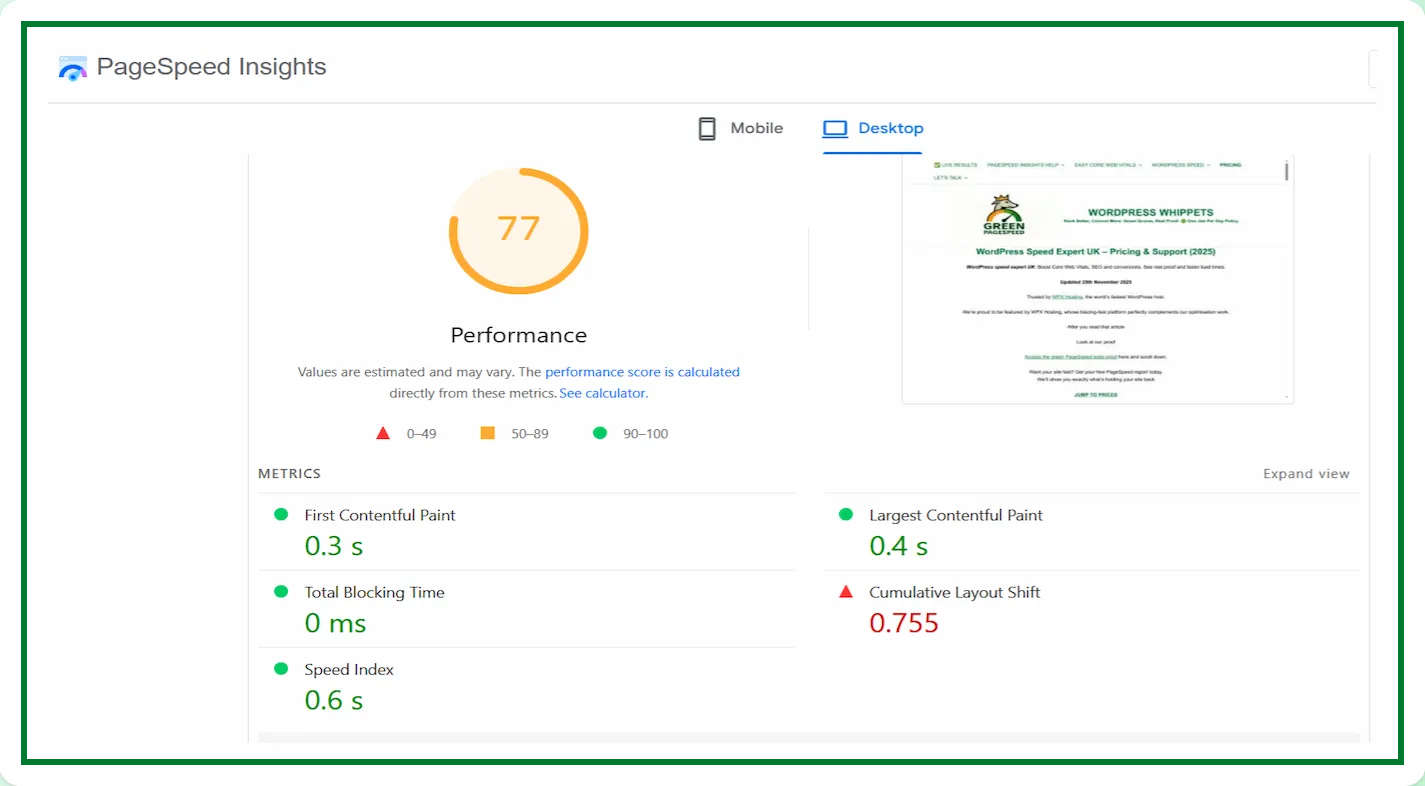
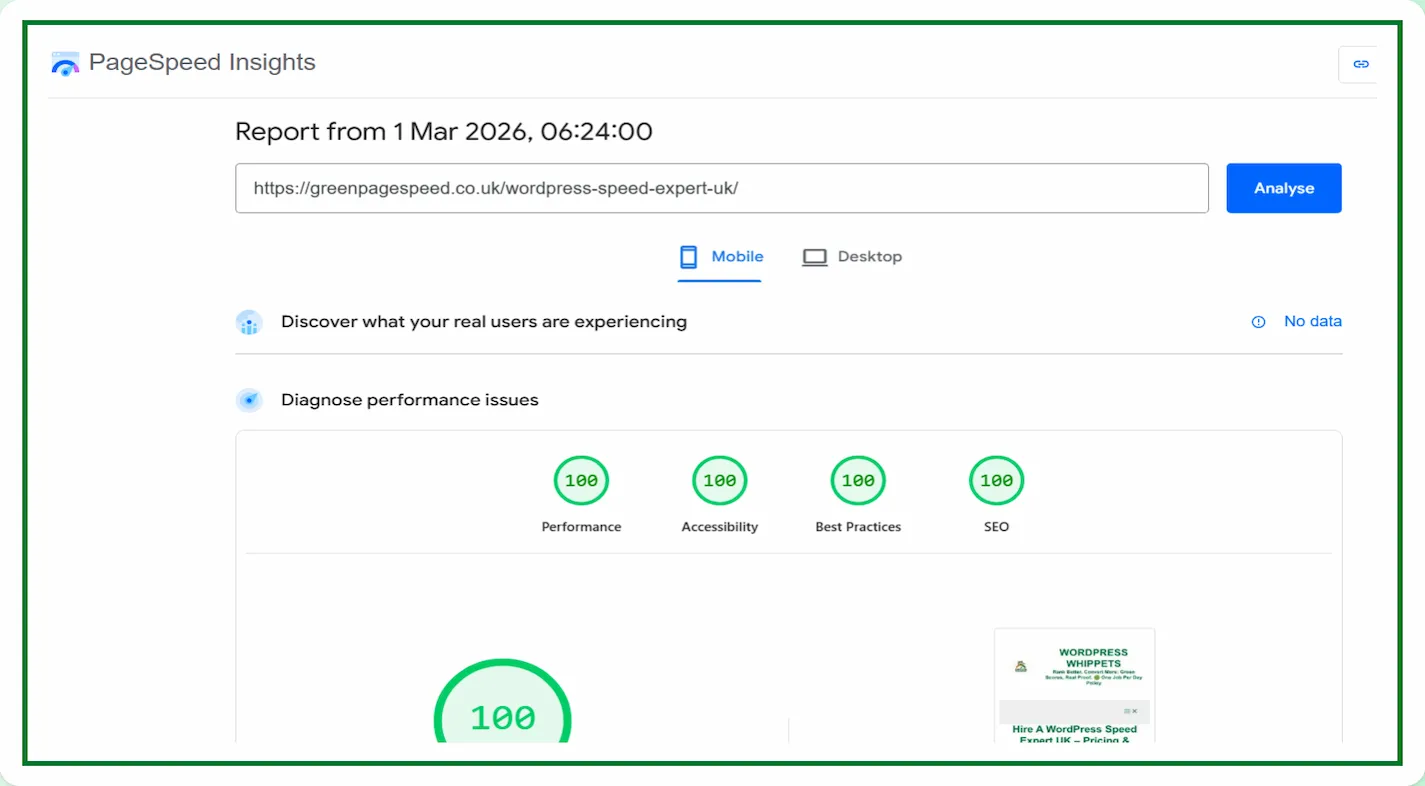
Google’s own PageSpeed Insights site scores 94/93/100/92.
Our Green Page Speed site hits 100/100/100/100, almost daily – verified proof.
If text moves, buttons shift position, or images suddenly push content down the page.
It creates a poor experience.
People hate it when a page suddenly shifts, and they tap the wrong link.
Well, Google hates it too. That is why it exists.
This metric is about visual stability.
HERE I EXPLAIN ABOUT OTHER METRICS.
LCP (Largest Contentful Paint)
AND ALSO
TTFB (Time To First Byte),
AND ALSO
TBT (Total Blocking Time)
FINALLY
INP (Interaction to Next Paint)
However, your CLS focuses on whether the page stays still while loading.
When elements move around, it makes a site feel unreliable, and people bounce off quickly.
When nothing moves unexpectedly, the site feels cleaner, smoother and more professional.
Understanding how it works is the first step in fixing it.
Why It Matters For SEO In 2025
Google requires the web to feel pleasant and predictable.
If a website loads slowly or moves around, people become frustrated and leave.
A high score tells Google that your page is stable.
A poor one tells Google that your layout is unstable and likely to annoy users.
Since Google recommends only the best pages, it has become part of the ranking system.
Good scores also help conversions.
If someone tries to tap your buy button or your contact form and the page shifts at the wrong moment,
They will click something else or give up entirely. Stable pages will focus visitors on what they are trying to do.
That means more leads, more actions and more trust.
The best part is that improving stability is usually easy once you know what to look for.
Fixing it can dramatically improve your site’s feel in just a short time.
What Actually Causes CLS To Rise
Most layout shifts come from predictable problems.
These are the most common reasons people struggle with stability issues:
Un-Sized Images
When images do not have width and height set in the HTML,
The browser does not know how much space to reserve.
It loads the text first, then suddenly loads the image, which pushes everything down.
Ads, Embeds or Widgets
Anything that loads in from an external source, such as an ad network or an embedded video,
Well, it may change size once it appears. That sudden change causes a shift.
Late loading fonts
If a custom font loads after your text appears, the letters can change shape and reflow the entire paragraph.
This can cause a noticeable jump.
Dynamic content
This is injected above other elements. Some plugins insert announcements.
They also insert banners or cookie notices at the top of the page.
When these appear after the first render, they push everything else down.
Unstable containers
Some page builders load modules that move or adjust spacing after they render.
If the container height changes, the whole layout shifts.
These are the core reasons most sites struggle with it. Luckily, all of them can be fixed.
How To Fix CLS Easily
With this metric, the fixes are simple and normally quick to apply.
Here are the easiest and most effective ways to improve stability.
Set the width and height on every image. When the browser knows the size of an image before it loads,
It reserves the exact amount of space. Nothing moves.
If you use WordPress, modern versions set these attributes automatically when images are inserted.
If yours do not, it is worth checking your theme.
Reserve space for ads or embeds. If you use ads, always give them a fixed container height.
If you embed YouTube or other media, use an aspect ratio container so the browser knows how much room to allocate.
Preload fonts. A late-loading font causes text to jump.
Preloading the main font makes the page render correctly the first time.
Many themes support this automatically. However, manually adding a preload link may also solve the issue.
Avoid injecting banners at the top. If you must show a banner or notice, place it inside a container.
A container that already exists. So the height does not change after the page loads. Never place new content above the header. That causes a major shift.
Use a lightweight theme. Some page builders and heavy themes modify layout during rendering, which causes movement. A clean theme with stable spacing fixes this issue instantly.
When these fixes are applied, the page becomes visually stable, and your score improves quickly. You do not need complex tools or heavy optimisation. You only need predictable layout behaviour.
What Is A Good CLS Score In 2025
Google splits this metric into three levels. A strong rating shows that your layout stays stable on most devices. A weaker rating means elements are shifting as the page loads. Because Google cares so much about user experience, it makes sense to aim for the strongest rating you can.
A good score means the page loads calmly without sudden shifts.
A “Needs improvement” score tells you there are occasional jumps that should be corrected. A “Poor Score” says that the page layout is unstable enough to hurt your user experience and your SEO.
Most modern sites should be able to hit a good rating without difficulty, especially if images and embeds are handled properly.
How CLS Looks From The Visitor’s Point Of View
Picture opening a site on your phone. You try to tap a button, but the layout moves as the page loads, and you hit the wrong spot. Or you start reading, and an image suddenly appears above the text, forcing everything to move. It creates a messy and frustrating experience.
Visitors are not analysing the tech behind a page. They only notice whether the experience feels smooth or irritating. A still, steady layout builds confidence. Sudden movement destroys it immediately.
That is why this metric matters so much. It reflects what the visitor actually feels, not just what the tools measure.
How To Check Your CLS Score
The simplest way is to run your site through Google PageSpeed Insights. It will show your current score along with the moments that triggered instability. The field data section also tells you how real users experience your site over time.
Another useful tool is Chrome DevTools. It has a performance panel that highlights every shift as the page loads. This makes it easy to pinpoint the exact cause. You can see which elements moved, why they moved and what triggered the change.
Once you know what caused the shifts, fixing them is usually quick.
Final Part On CLS
Cumulative Layout Shift may sound complex, but it simply describes how stable your layout stays while the page loads. If things move unexpectedly, your visitors become frustrated. If everything stays in place, the page feels smooth and easy to use. Google rewards that stability with better rankings and a stronger experience score.
You can fix it by reserving space, preloading fonts, avoiding sudden content injections and choosing a stable layout. These small improvements have a big impact on CLS and how your site feels to users.
With a clear structure, predictable behaviour and stable design, your visitors will stay longer, trust your content more and feel confident using your site. For a business site or service site, that stability is essential. A calm, steady layout always outperforms one that jumps around.